CONTEXT
Oneflow’s product copy was written by multiple teams without a shared standard, creating inconsistent terminology, tone, and patterns across the interface. Every content decision took 2+ hours. This led to team frustration and slow shipping.
PROBLEM
Discovery:
Audited product copy, reviewed support tickets
Finding:
Duplicated terms, unclear labels, and mixed tones caused misunderstandings and unnecessary support load
Root causes:
No shared voice, terminology, or patterns
Marketing and designers creating content in silos
Bottleneck on Content Designer
Why this:
Slow shipping → unclear UX → increased content decision time
MY ROLE & APPROACH
My role: Content Designer, UX Writer
Team: Product, Marketing, Sales, Support
Approach:
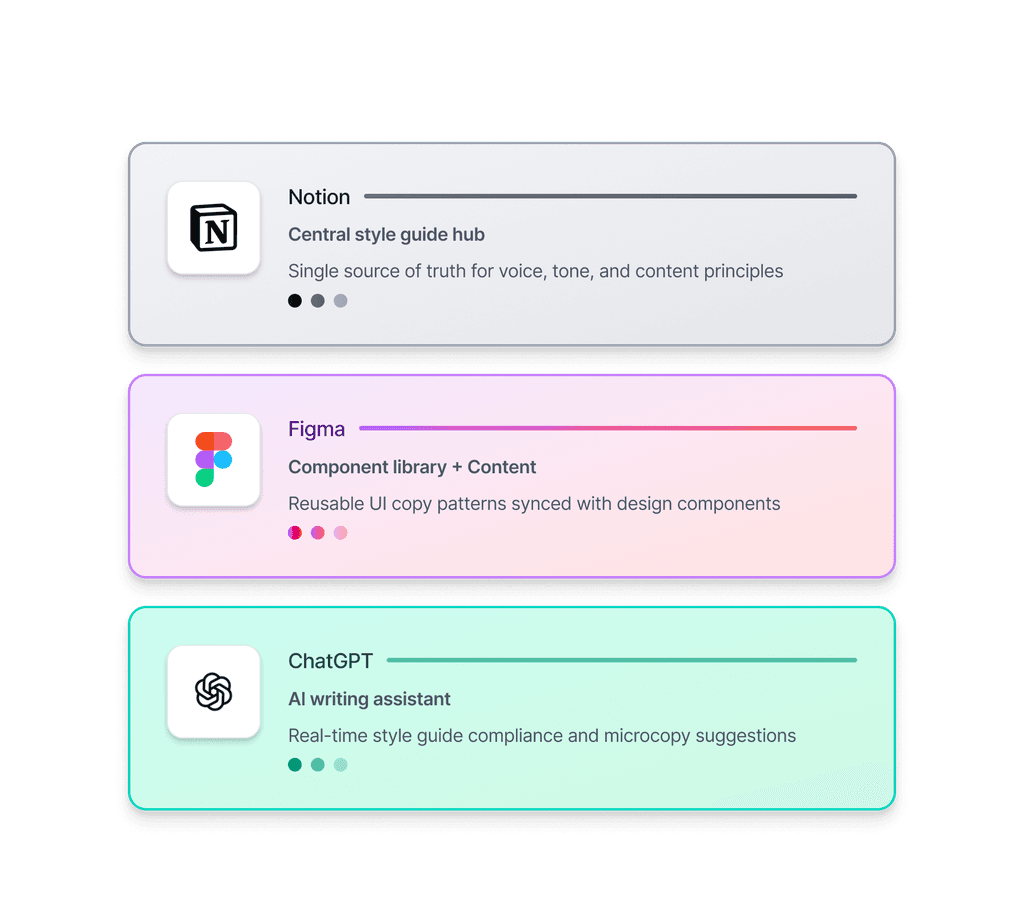
Led content system strategy with guidelines, Figma variables, and AI assistant
Drove adoption across product, marketing, support, and sales
Evolved system (2022–2024) for unified technical and marketing content
RESULTS AND IMPACT
“ Working with Olha completely changed how we handle content: clear, practical, and always reliable. ”
Linnea Nillsson, Senior UX Designer, Oneflow
50%
Review time drop
Content review time cycles dropped from 1.5 hours to 30 minutes
Measured: Team feedback
25%
Fewer content request
THE PROCESS
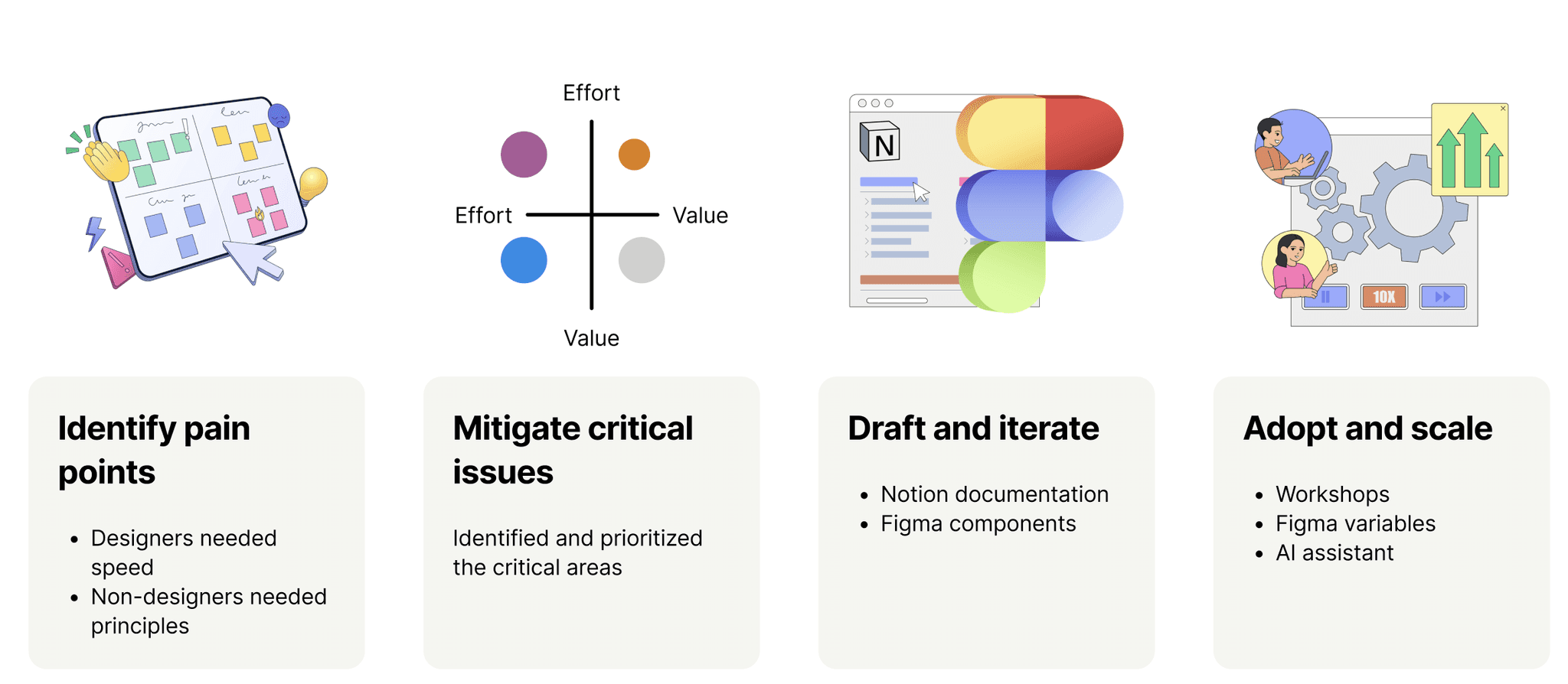
I didn't just write guidelines. I built a content system that lives where teams work: documentation for context, Figma for speed.
Identify pain points
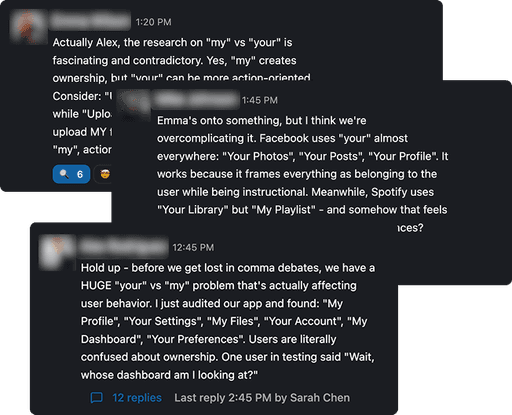
Audited more than 30 Slack threads and interviewed teams about what slowed them down:
Key findings: 80% of debates were about 3 content types (tooltips, errors, CTAs). Designers needed speed. Non-designers needed understanding of principles.
Mitigate, draft, and iterate
I couldn't just build documentation OR Figma components. I needed both:
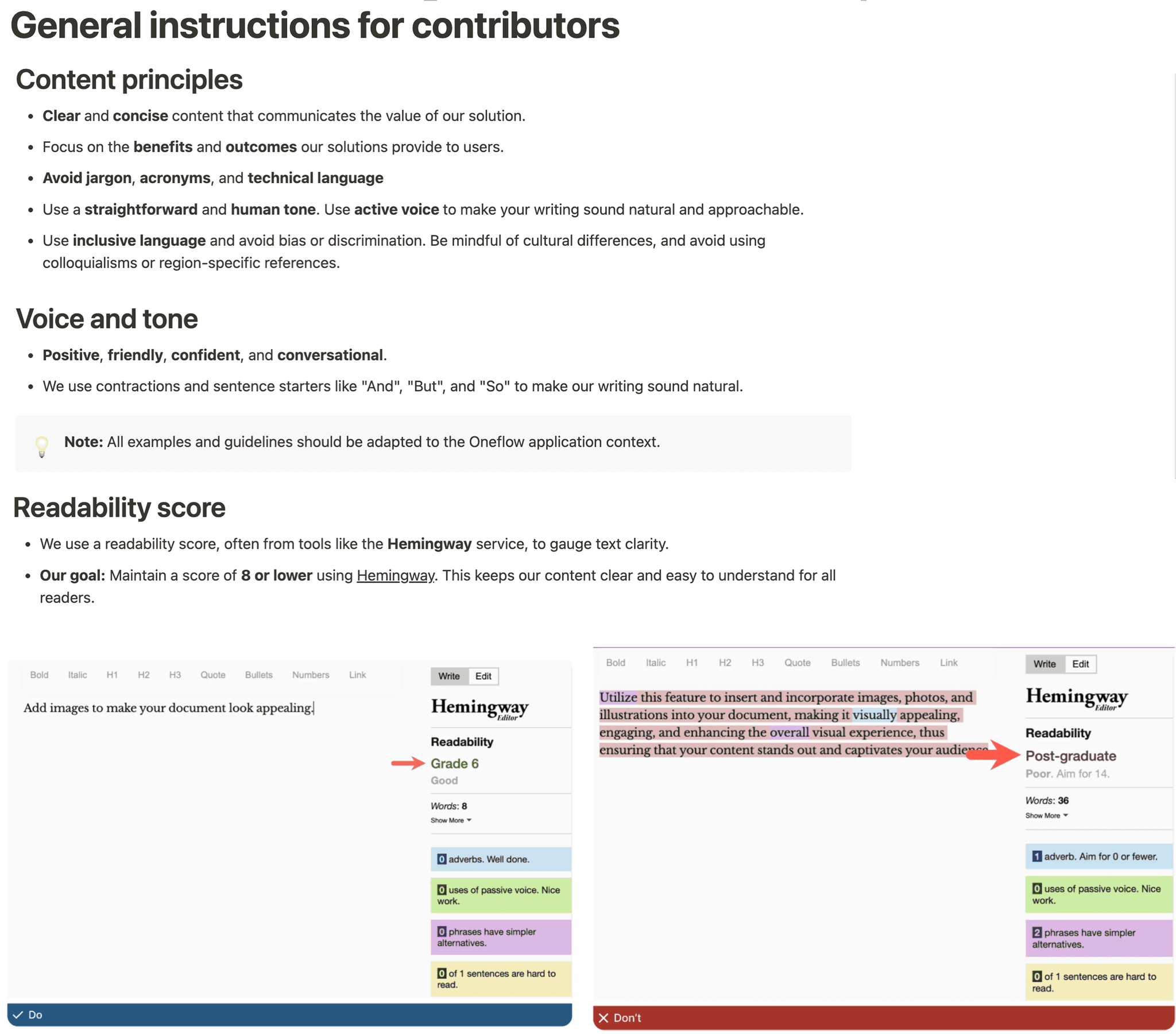
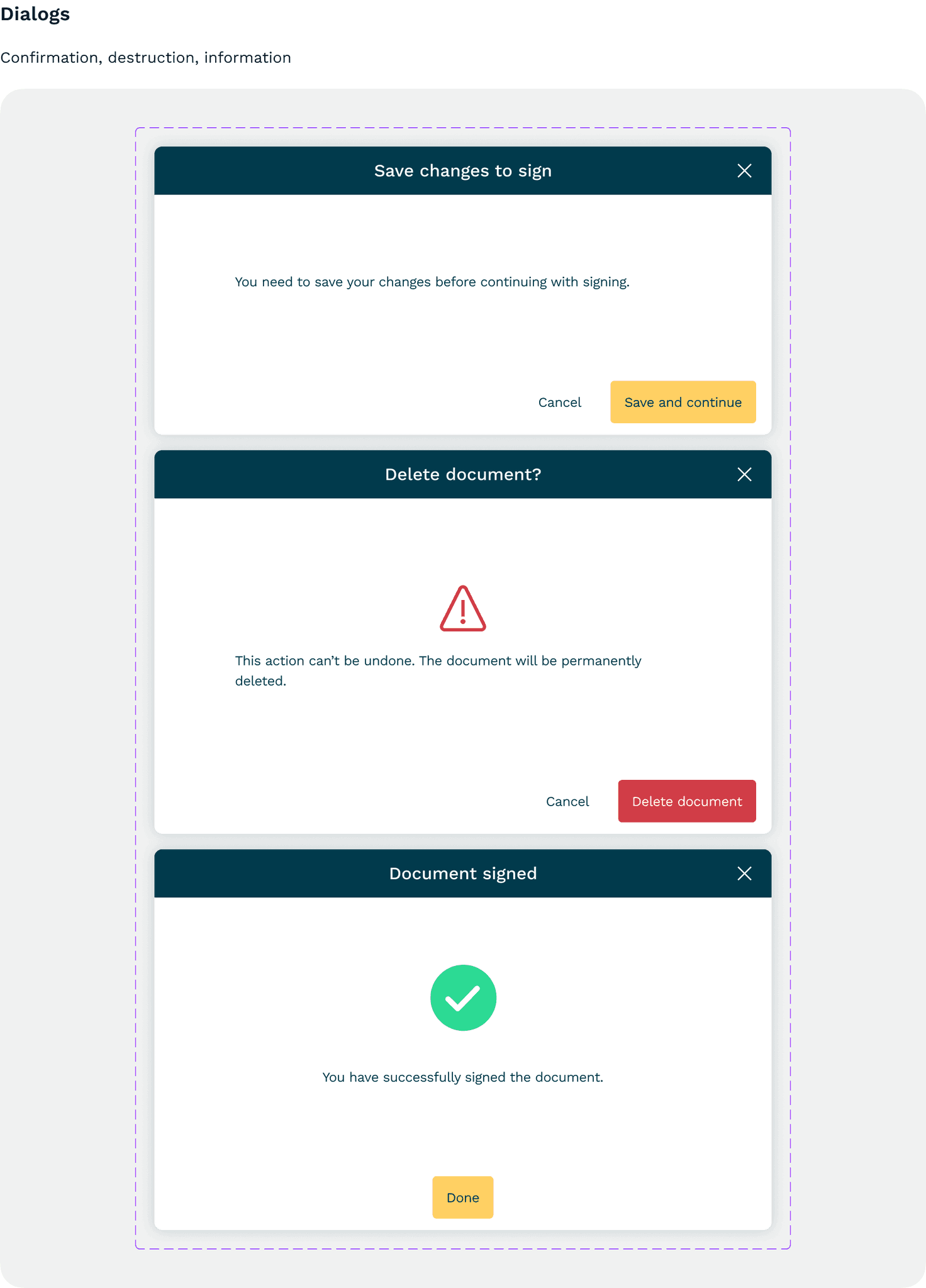
Documentation hub (Notion):
Voice and tone principles
Best practices
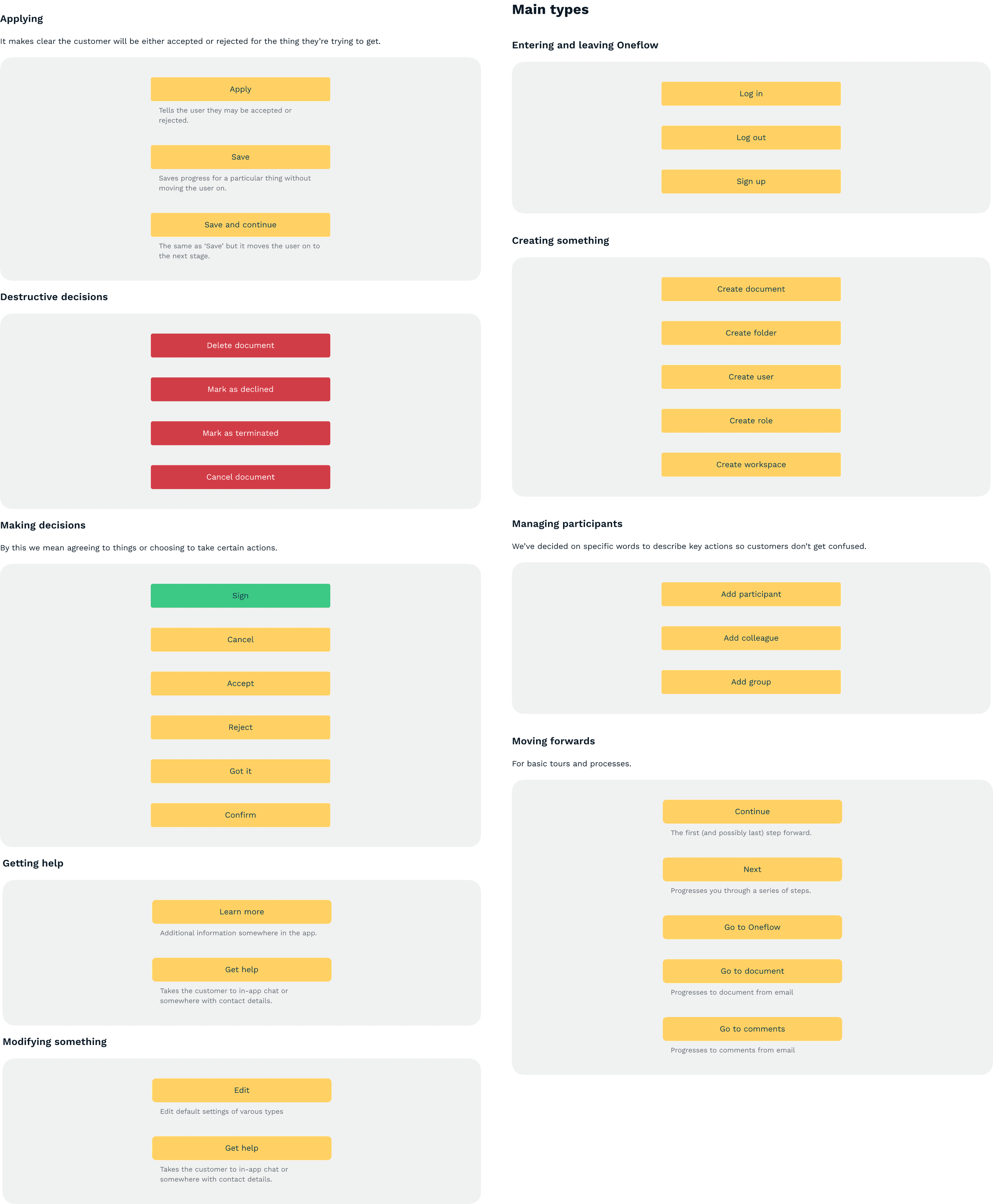
Figma components:
Text components
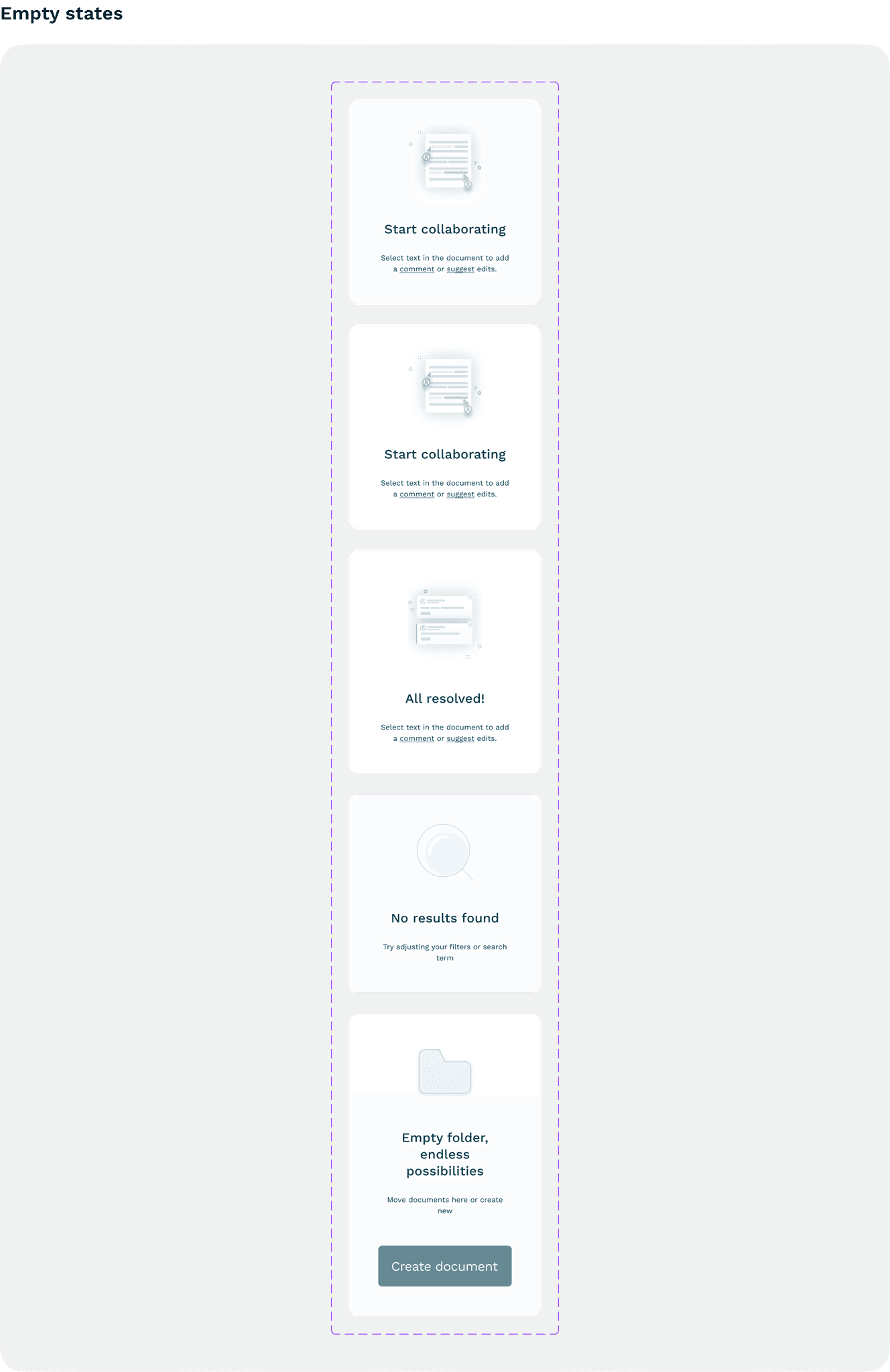
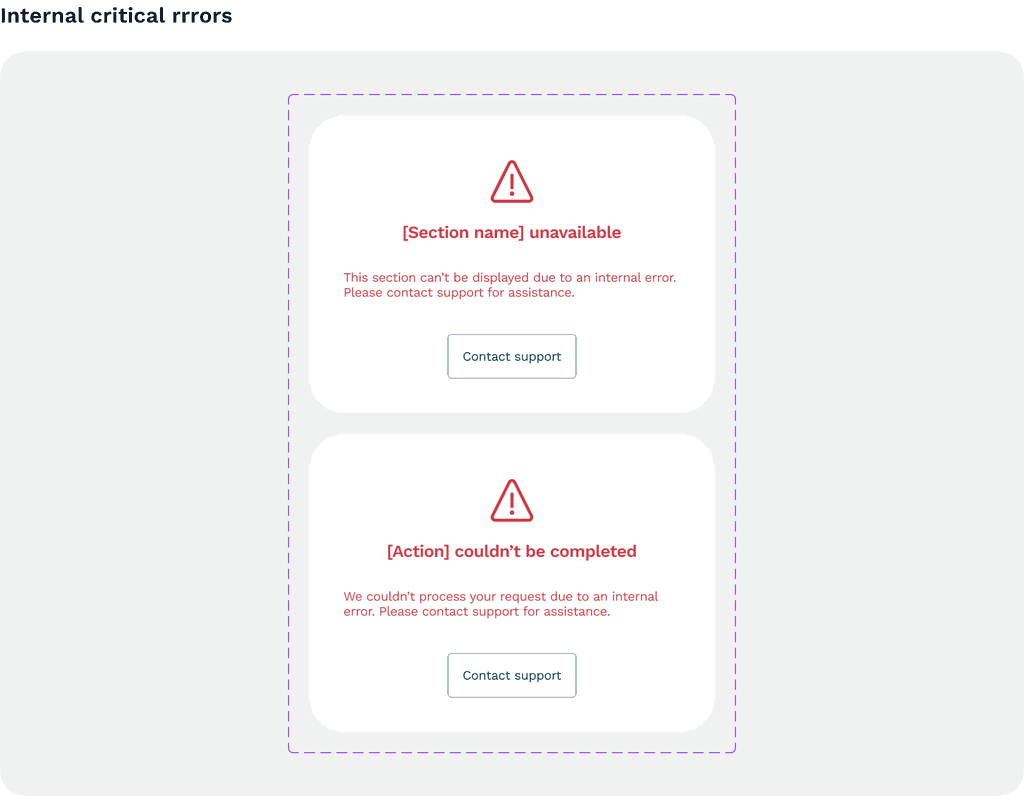
Dialog and error message structures
Constraints and trade-offs
Speed vs. completeness: Teams needed this immediately, but complete documentation takes months.
Designer tools vs. cross-team access: Designers work in Figma. Product, Marketing, Support work in docs.
ADOPTION AND ROLLOUT
One guide, less debate
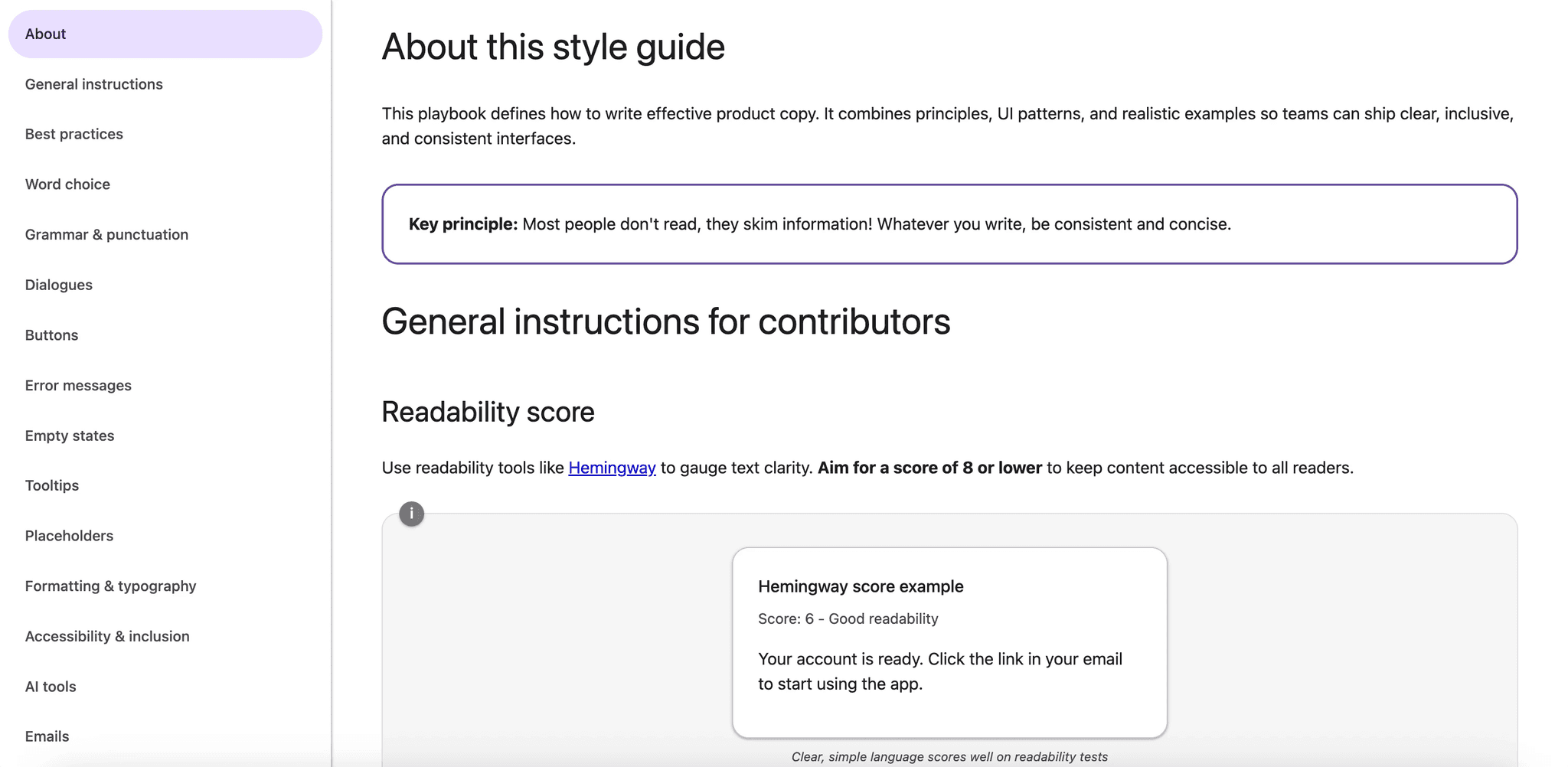
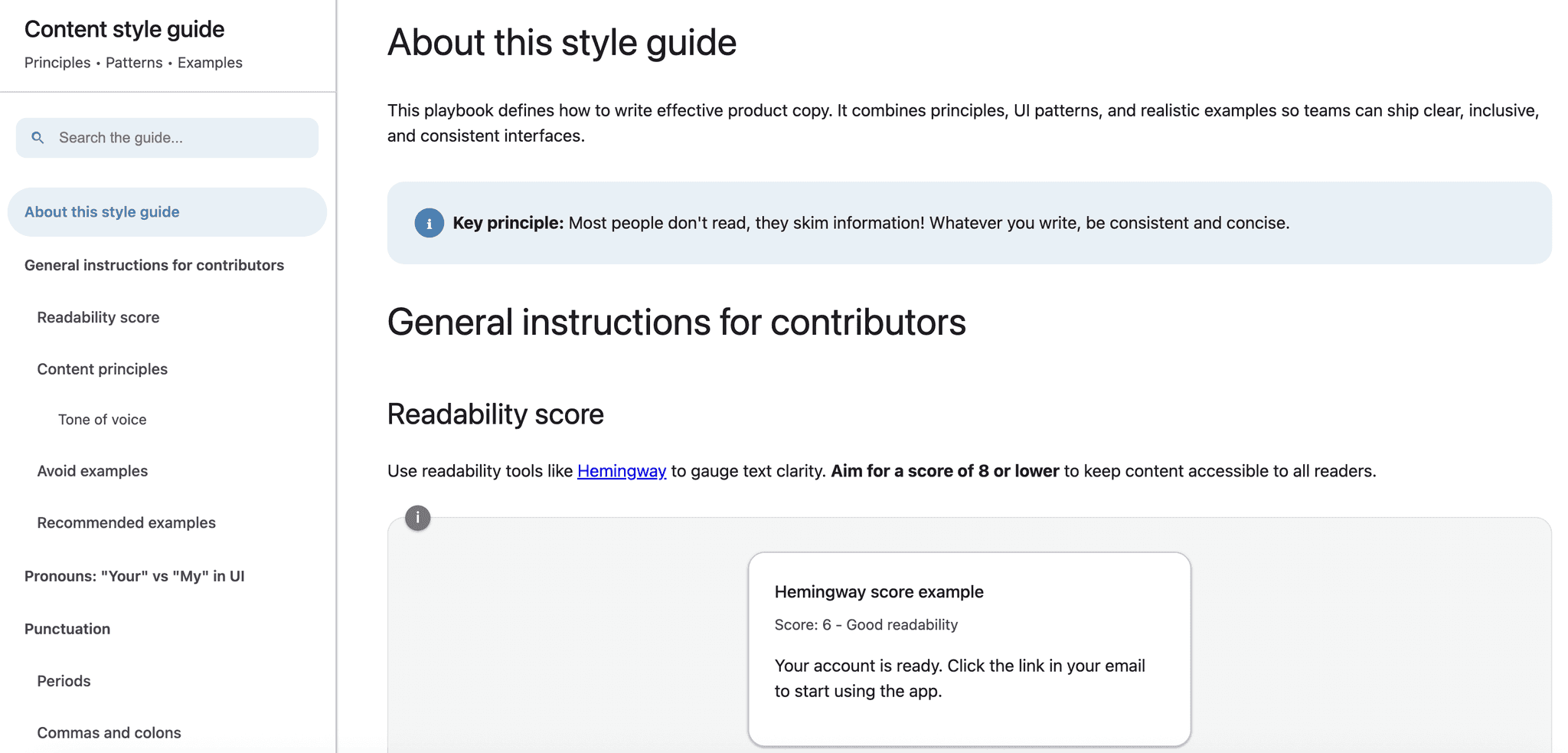
The style guide covers:
Voice and tone for different contexts (errors, success, marketing)
Grammar and mechanics
Content patterns for common flows and dialogs.
Result: Increased team confidence, fewer misalignment cases with the teams, 30% fewer localization bugs.
Evolution: From manual to automated
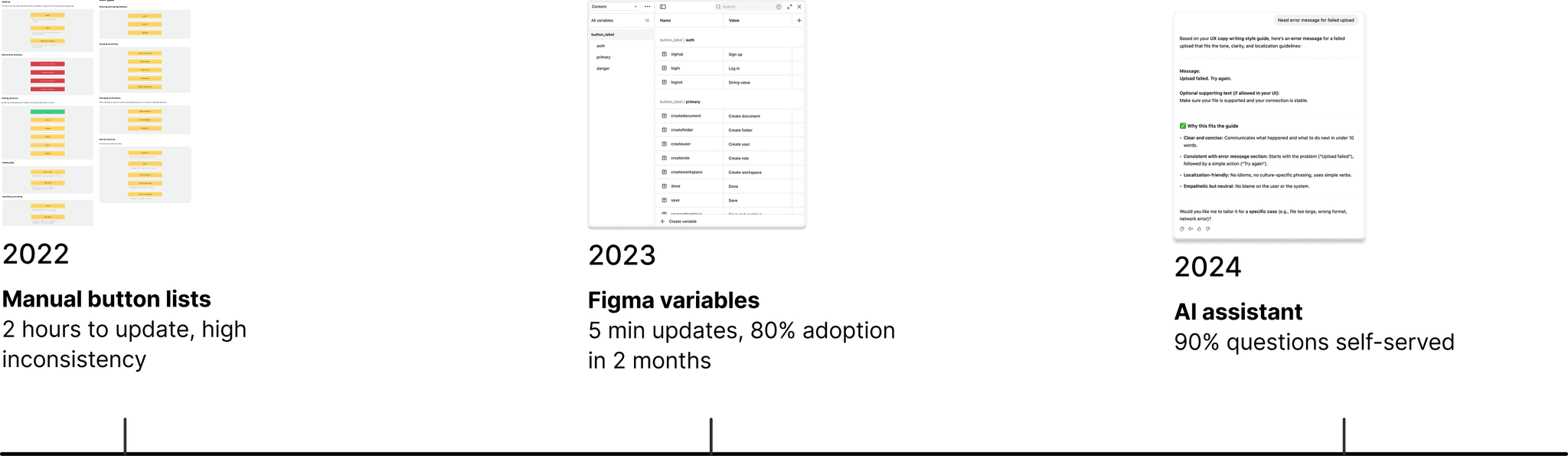
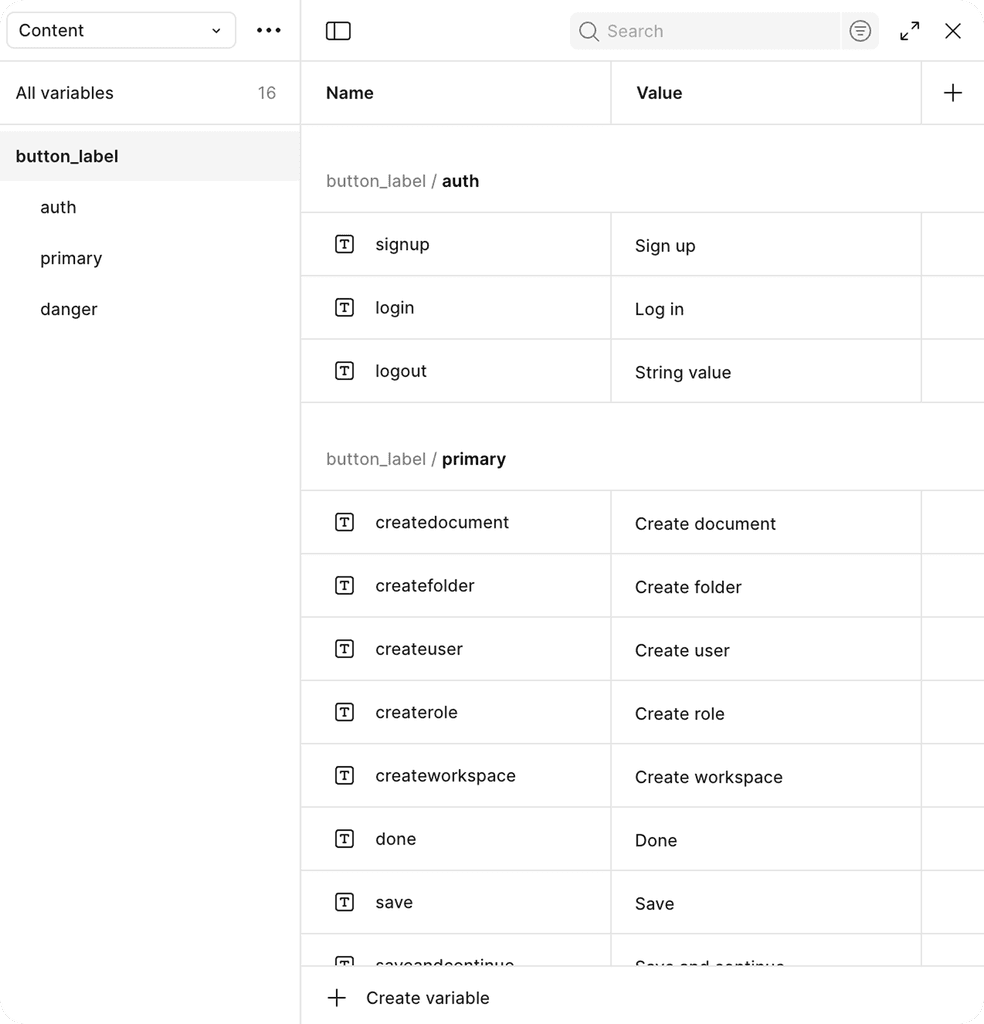
Result: 80% of product team actively using components within 2 months. Updates dropped from 2 hours to 5 minutes.
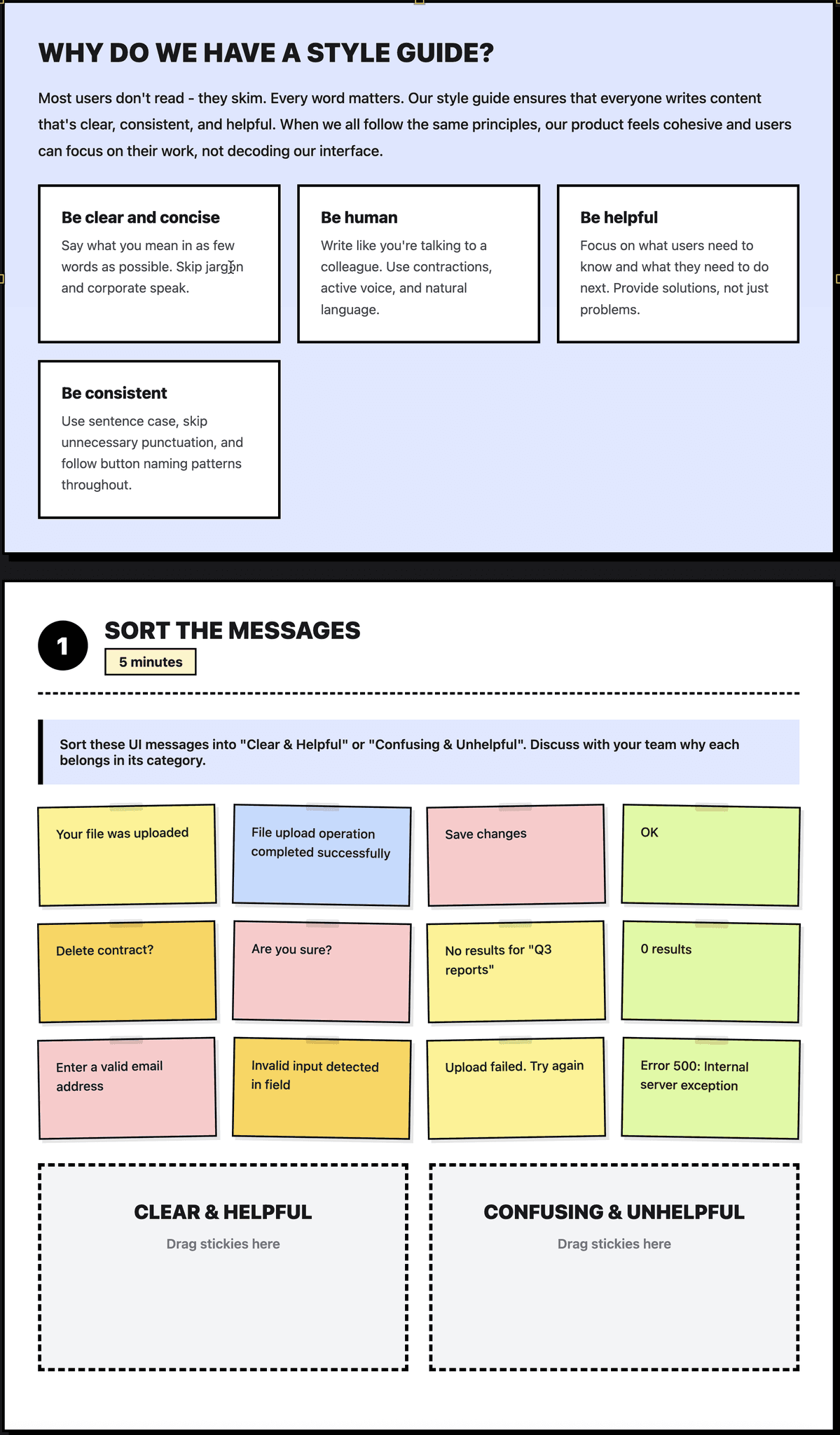
Onboarding strategy
I ran 4 workshops (30 min each) for different teams:
Product team: Focus on UI patterns, tooltips, and Figma components
Marketing team: Focus on voice, tone
Support team: Focus on error messages
Sales team: Focus on terminology and positioning
Result: Instant guidance, eliminated bottlenecks. Copy review time dropped from 5-12 hours to 30-90 minutes.
Scale adoption with AI assistant
To speed up the process even more, i embedded the style guide rules into Content assistant AI.
Result: Instant guidance, eliminated bottlenecks and copy review time dropped from 1-1.5 hours to 20-30 minutes.
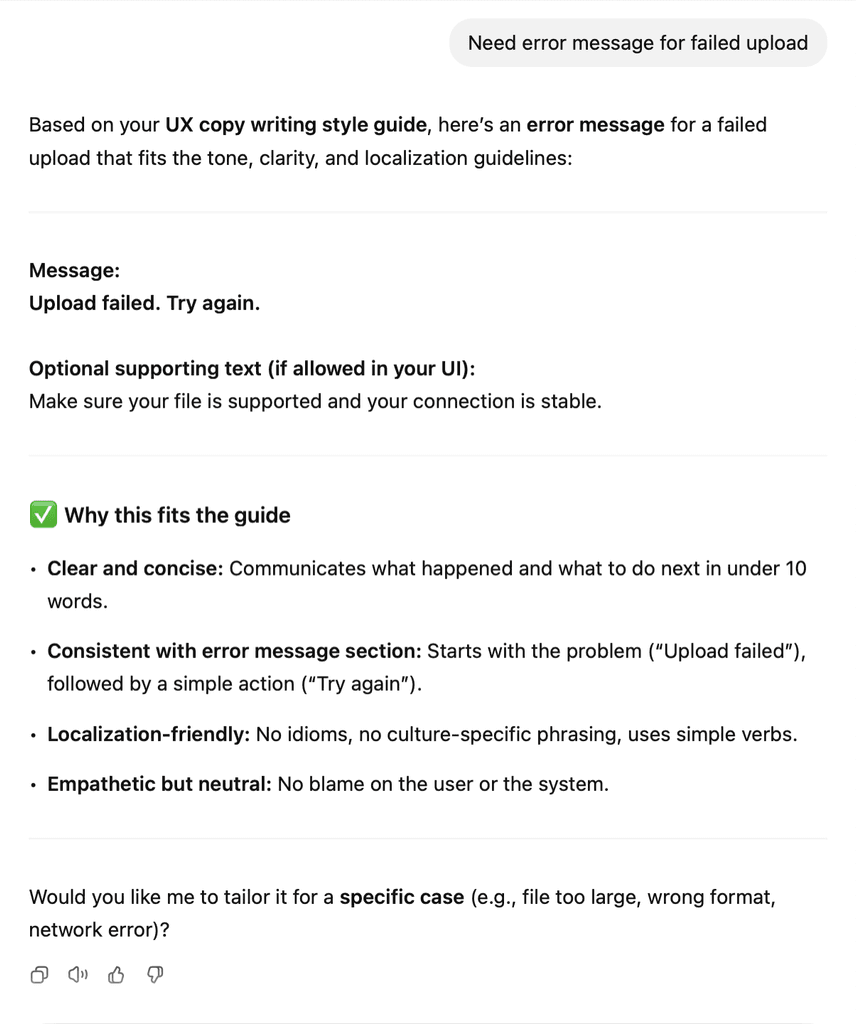
Content assistant AI interface answering how to I write an error message with pattern suggestion and reasoning
LEARNINGS AND REFLECTIONS
Worked well
Embedding components in Figma (not separate docs) drove adoption
Team-specific workshops helped each group see relevant use cases
AI assistant handled simple questions, freed me for complex work
Would do differently
Start with Figma components from day one, not after the guide. Teams wanted copy patterns in their workflow more than documentation
Involve engineers earlier for implementation guidance.
Learned
Style guides only work if embedded in workflows. A beautiful Notion doc no one opens is useless, meet teams where they work.
Teams needed copy components more than exhaustive grammar rules.
MORE PROJECTS
Designed and built by me